

BxPlaywrightBxPlaywright
Star
Automate, test, and control real browsers

Real browsers.
Fluent BoxLang.

BxPlaywright brings Chromium, Firefox, and WebKit to BoxLang through a powerful, fluent API. Build end-to-end tests, mock network requests, test APIs, generate PDFs and screenshots, and empower AI agents with browser automation; all without managing a separate Node.js project.

$install-bx-module bx-playwright|bxplaywright install
login flow passed · 1.2s
login.bxs
playwright().browse( ( page ) => {
    page.visit( "/login" )
        .fill( "Email", "luis@ortus.com" )
        .fill( "Password", "secret" )
        .click( "Sign in" )
        .assertPathIs( "/dashboard" )
        .assertSee( "Welcome back" )
        .screenshot( "dashboard.png" )
} )
Chromium · Firefox · WebKit

Watch the trailer

BxPlaywright in 60 seconds.

How it works

Write it like a user. Run it like a browser.

Install
Browse
Assert
Ship

Selectors read like the page: fill( "Email" ), click( "Sign in" ). Assertions wait for the page, so tests do not need sleeps. When something fails you get a typed error that says how to fix it, plus the screenshot, trace and video.

Getting started →

See it in action

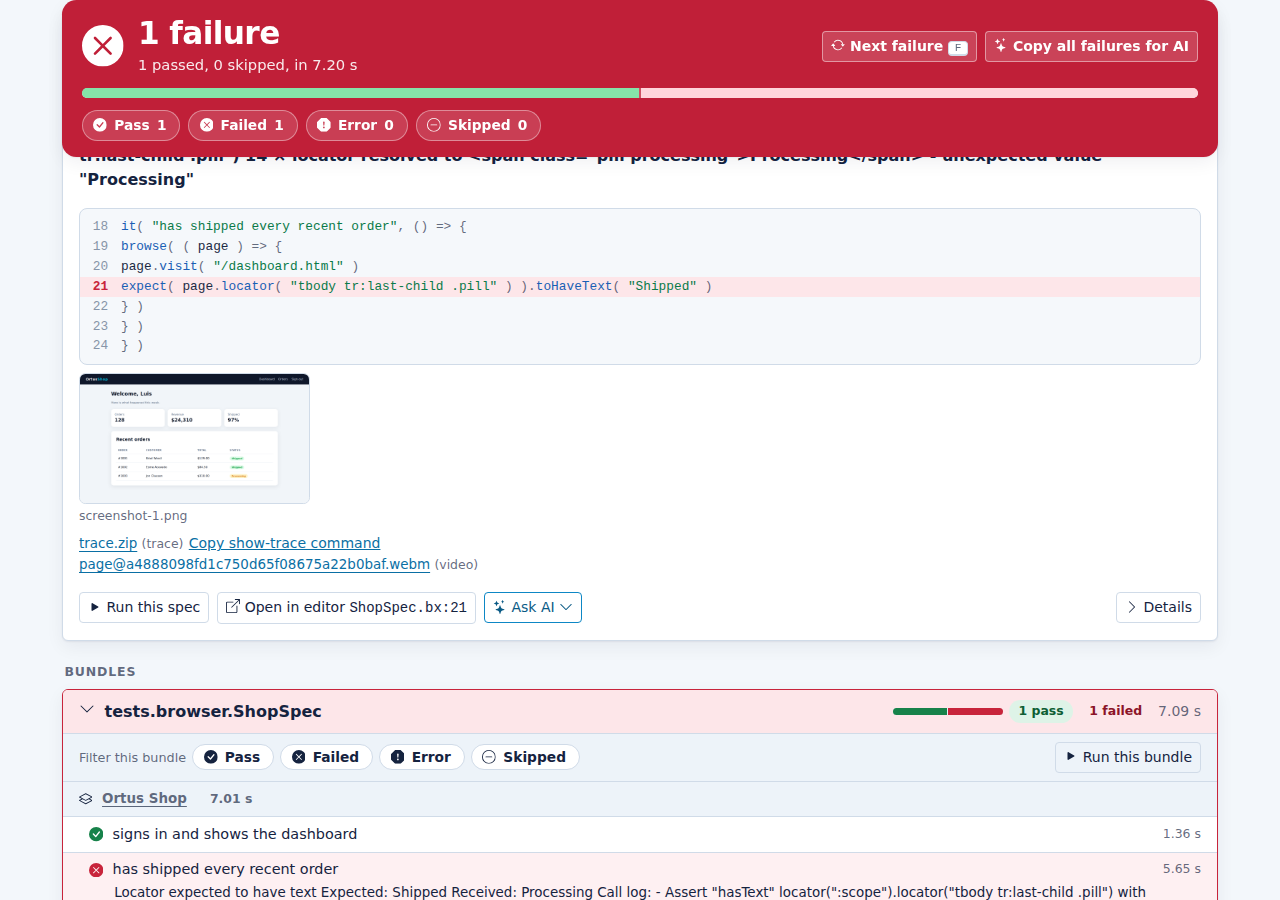
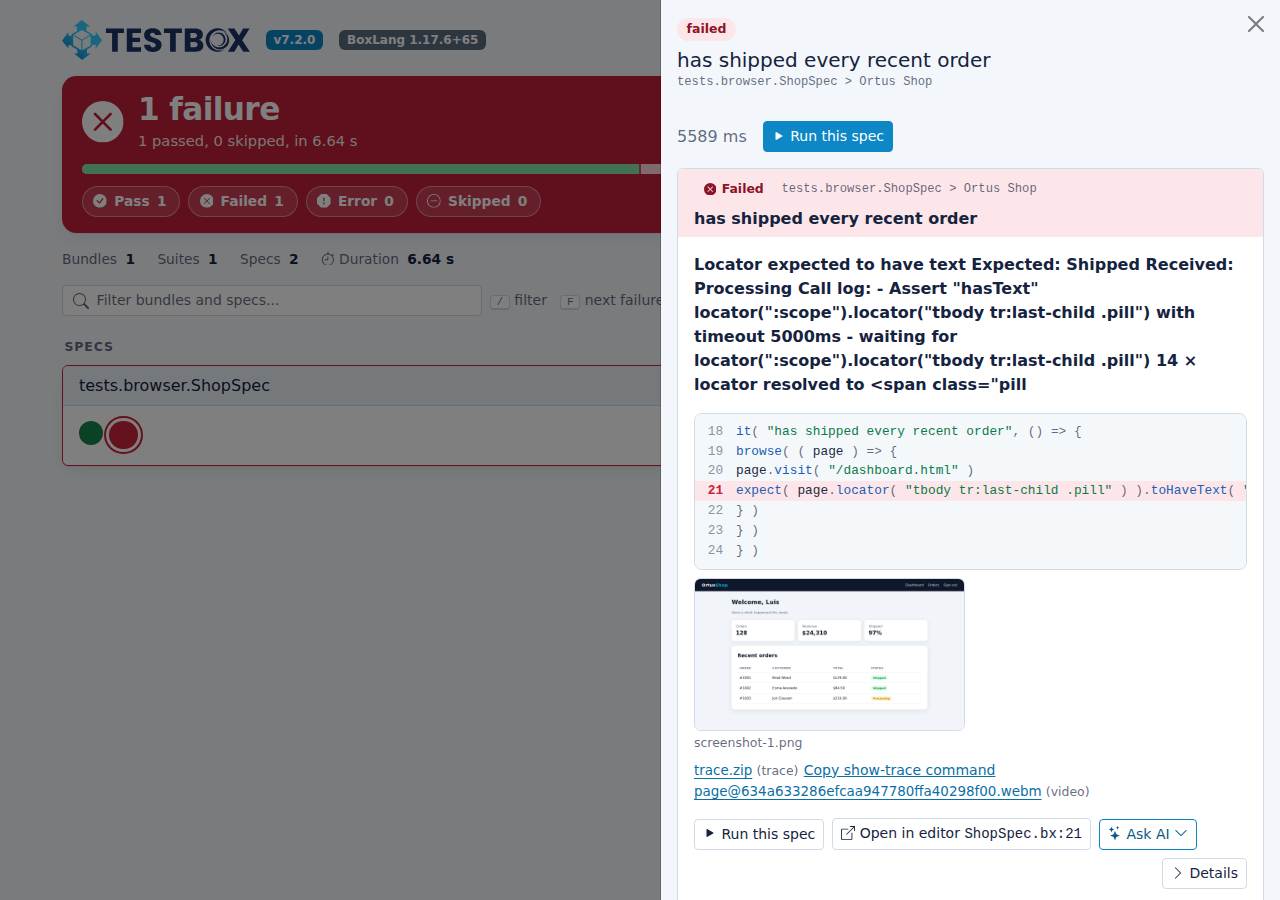
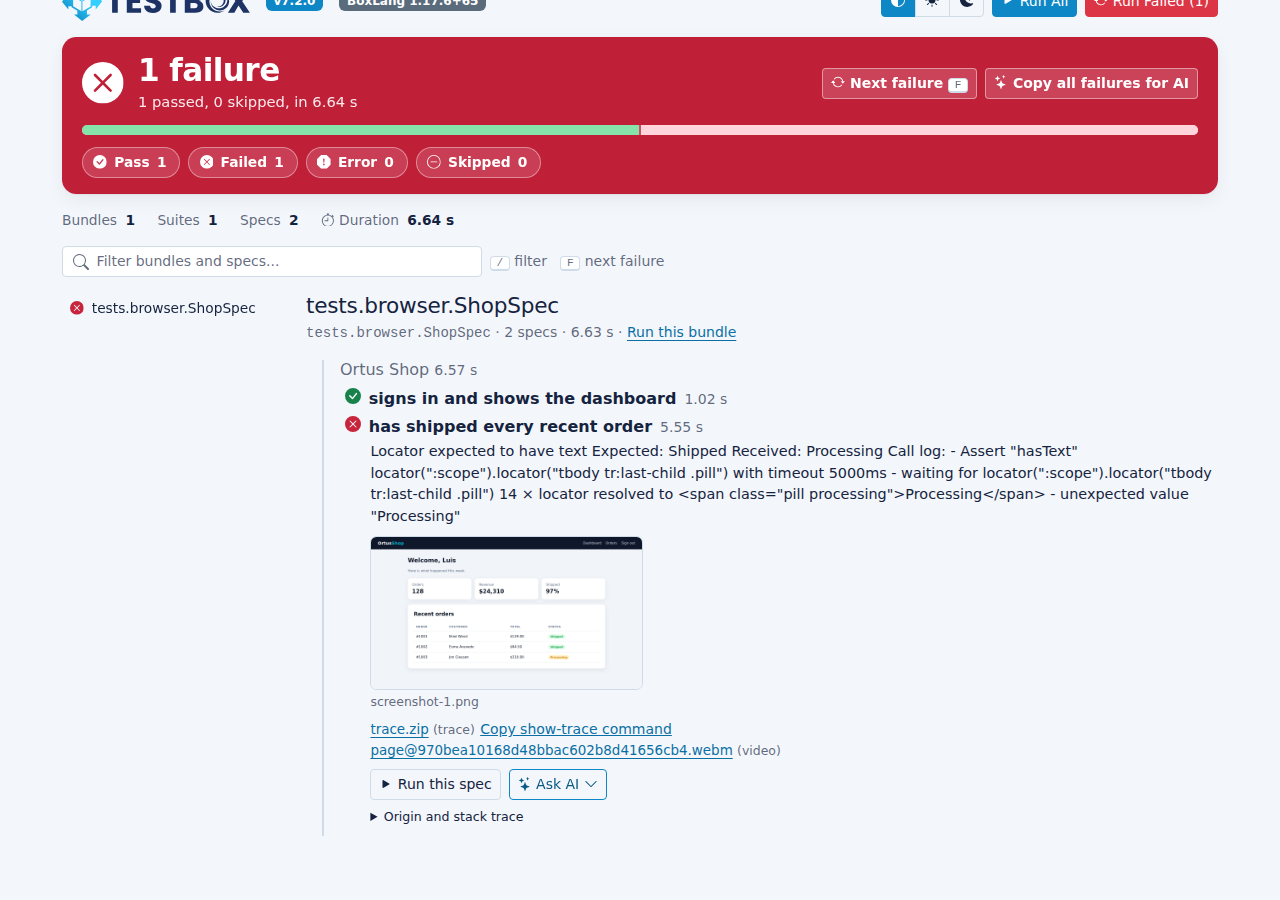
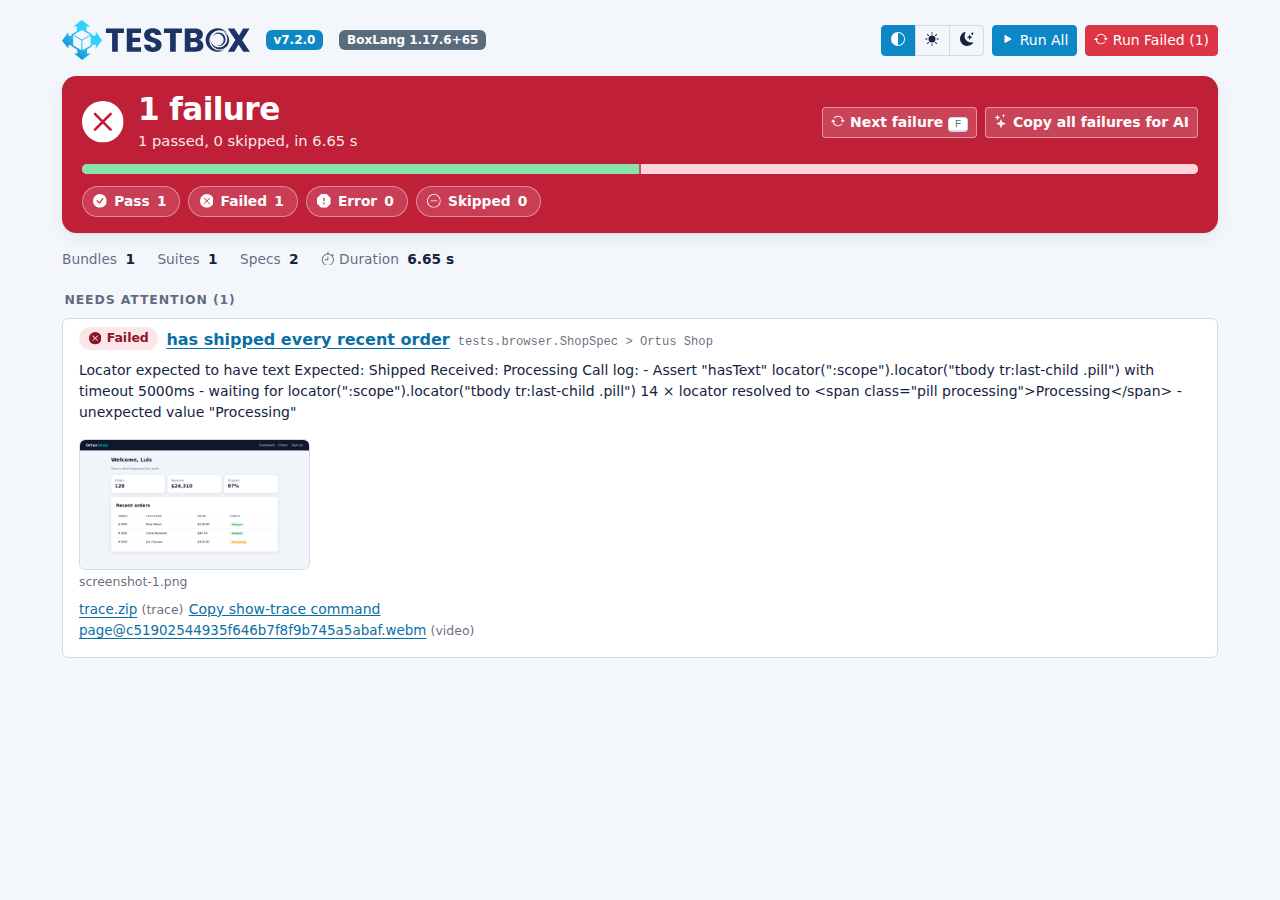
When a test fails, you see exactly why.

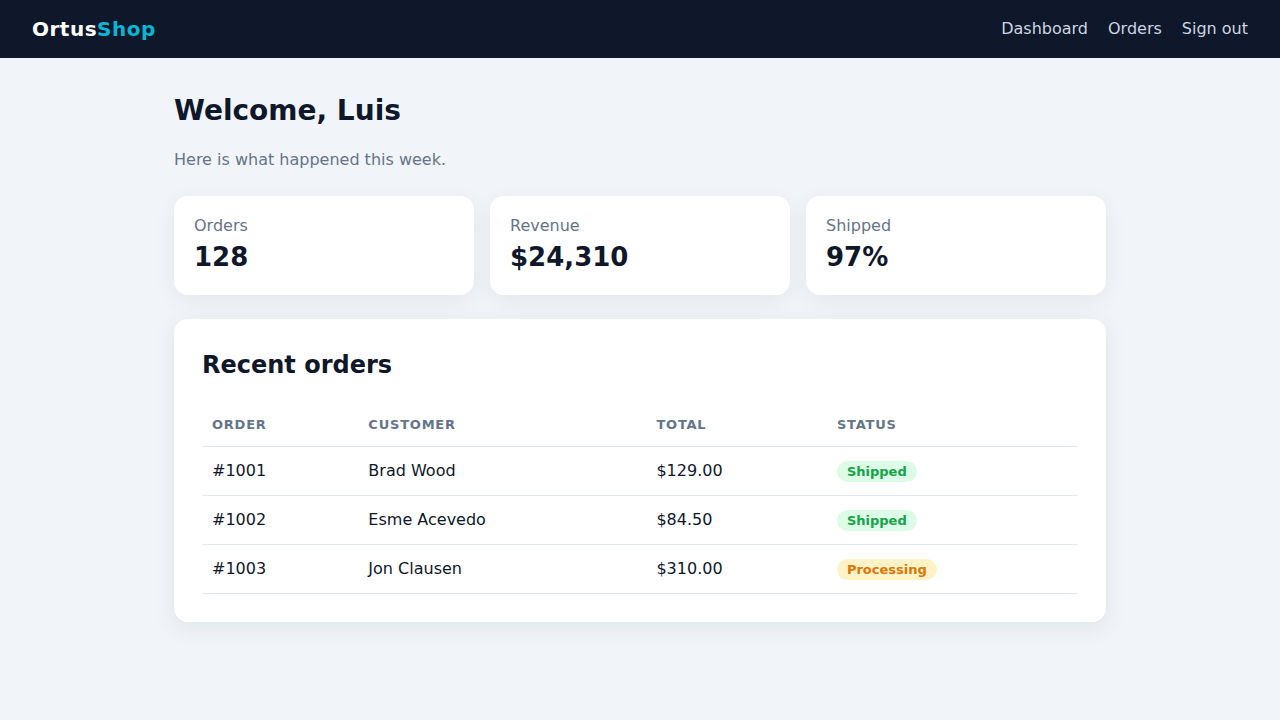
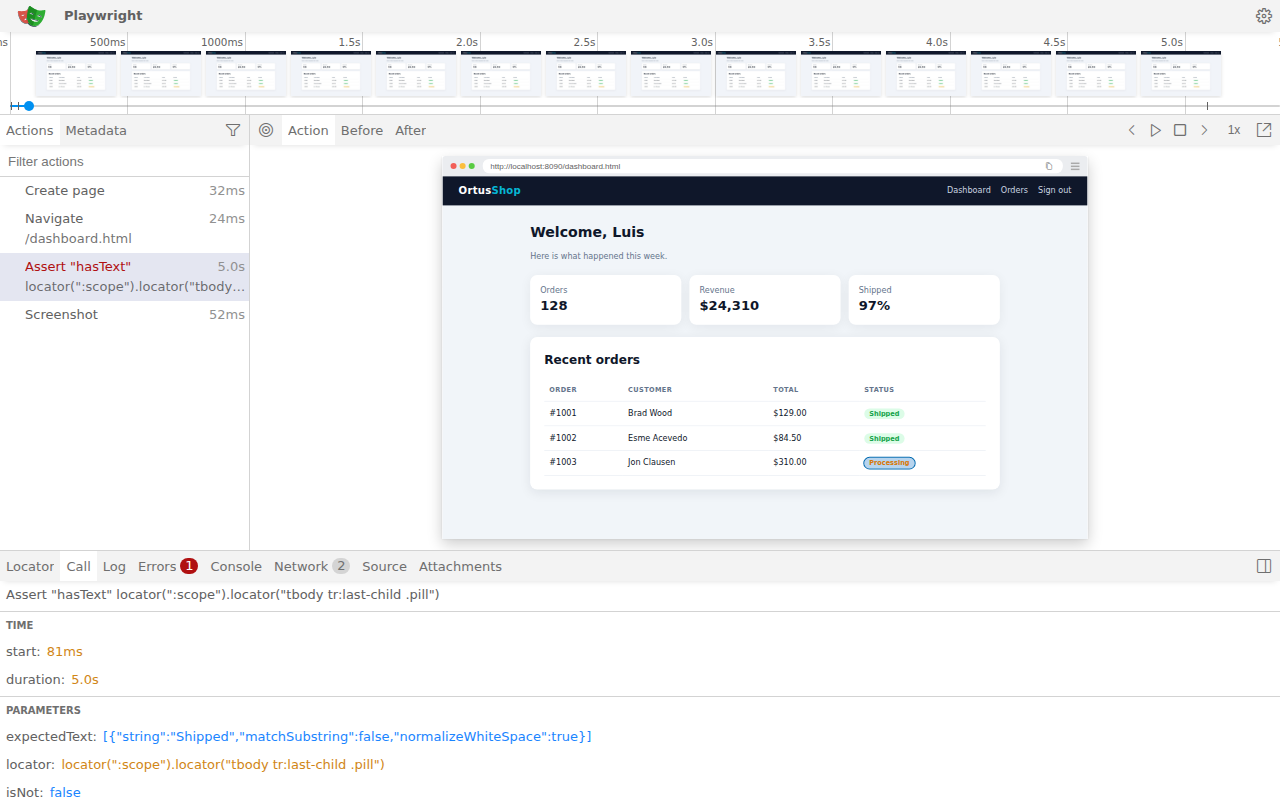
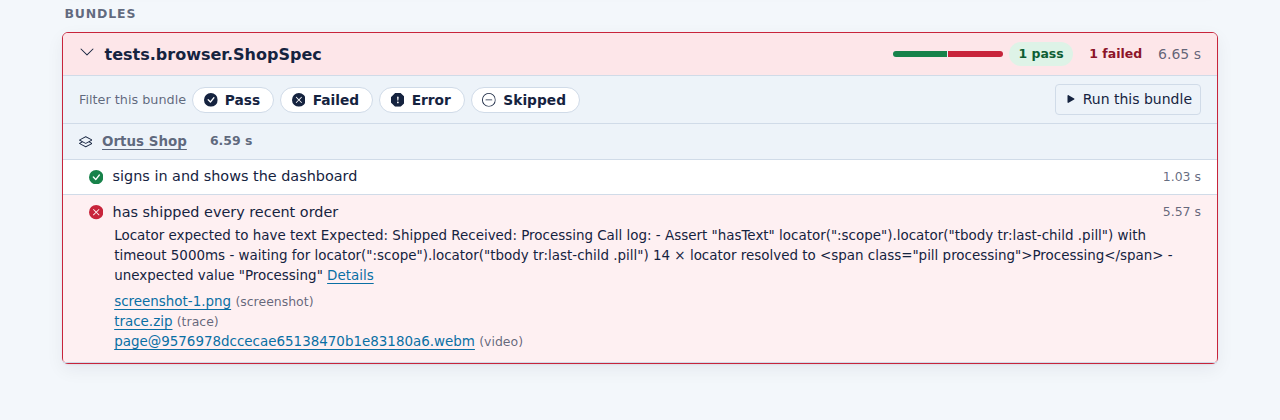
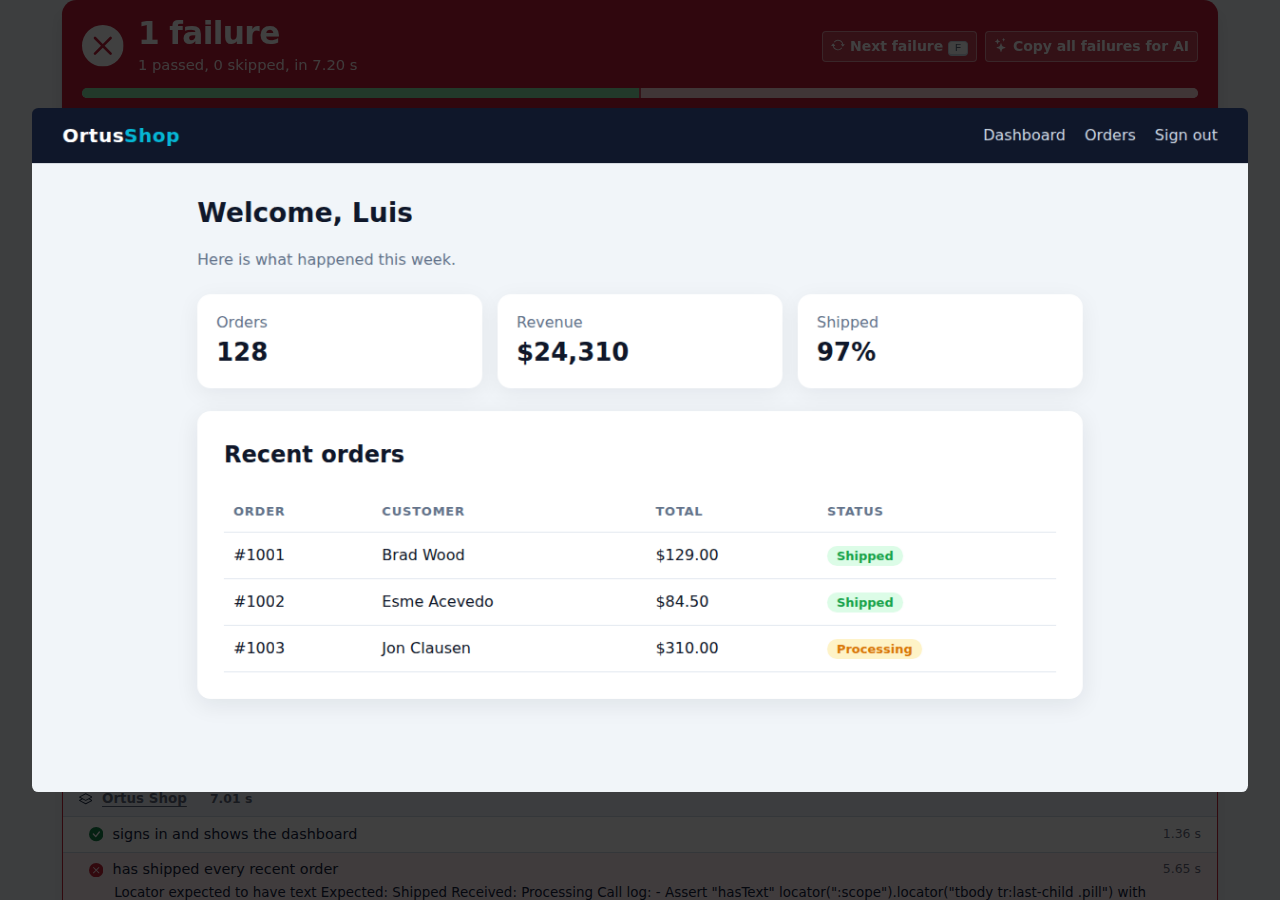
A real run: a TestBox browser spec signs in, checks the dashboard, and fails on purpose. The ci profile keeps the screenshot, the trace and the video, and TestBox attaches them to the failing spec.

tests/browser/ShopSpec.bx
A browser test signing in to a demo shop and checking the dashboard
+
TestBox integration

Browser tests are just TestBox specs.

Add @browser to any spec, call browse() and write describe(), it() and expect() like any other spec. TestBox 7.2 brings the rest.

  • One browser per bundle, fresh pages per spec. Set it up with @browserProfile( "ci" ) and @baseURL, closed for you after the bundle, even when afterAll() throws.
  • Browser matchers. toSee(), toHaveTitle(), toHavePath(), toHaveText(), toBeVisible() and more, retrying like Playwright's own assertions.
  • Evidence on every failure. Screenshots, traces and videos attached to the spec, with screenshots shown inline in the HTML reports.
  • Retries and Run Failed. Retry flaky specs, then rerun only what failed with --failed or the Run Failed button.
  • Your server, started for you. --web-server starts the app before the tests and stops it after.
tests/specs/ShopSpec.bx
@browser
@browserProfile( "ci" )
@baseURL( "http://localhost:8080" )
class extends="testbox.system.BaseSpec" {

    function run() {
        describe( "Shop", () => {
            it( "signs in", () => {
                browse( ( page ) => {
                    page.visit( "/" )
                        .fill( "Email", "luis@ortus.com" )
                        .click( "Sign in" )
                    expect( page ).toHavePath( "/dashboard" )
                    expect( page ).toSee( "Welcome, Luis" )
                } )
            } )
        } )
    }

}
Everything included

The whole Playwright, the BoxLang way.

Browser testing, automation and rendering in one module, with a CLI that installs everything it needs.

Browse the docs →

A fluent DSL

The playwright() BIF, smart selectors (CSS, @testId or the text a user sees) and chainable actions. browse() cleans up for you.

Web-first assertions

Inline (assertSee(), assertPathIs()) or expect() style. Both retry until the page is ready, with soft assertions when you want every failure at once.

Profiles and devices

playwright( [ "mobile", "dark" ] ). Built-in browsers, screens, devices and modes, plus your own in boxlang.json and BX_PLAYWRIGHT_* overrides.

PDFs and images

bx:playwrightRender and render() turn HTML into PDF, PNG, JPEG or WebP with a real browser: modern CSS, web fonts and JavaScript included.

Network and APIs

Mock, block and inspect requests with intercept(). Test HTTP APIs with request(). Save a login once and reuse it with session().

Visual regression

assertScreenshotMatches() keeps baselines and writes a diff image with every changed pixel in red when the page drifts.

Quality checks

axe-core accessibility audits, console error checks and smoke tests, one method call each.

Page objects and macros

Keep tests readable with page objects, reusable page components and your own macros on every page.

Any test framework

Works in TestBox or any runner. Artifact policies keep screenshots, traces and videos of failed tests, and show-trace replays them.

The bxplaywright CLI

install, doctor, codegen, screenshot, pdf, show-trace and mcp, with bash completions and --json output.

Record BoxLang code

bxplaywright codegen opens a browser, records your clicks and writes bx-playwright code for you.

Pure JVM, no Node project

Built on Playwright for Java. The driver is managed for you, and Node.js is found, downloaded or bundled: you never write a package.json.

The bxplaywright CLI

One command line for the whole browser toolchain.

Install browsers and their system libraries, check your setup, record tests, capture pages and serve a browser to your AI agent. No Node.js project, no package.json.

Set up

install, install-deps, doctor and version: everything a browser needs, checked with fix hints.

Record and replay

codegen writes BoxLang from your clicks, open drives a headed browser and show-trace replays a failure.

Capture

screenshot and pdf grab any URL from the shell, no script needed.

Agents and automation

mcp serves a browser to AI agents. Every verb speaks --json, with bash completions included.

CLI reference →
bash
$ bxplaywright install chromium --with-deps driver, Node.js and Chromium, plus the Linux system libraries $ bxplaywright doctor[ok] module bx-playwright (small), Playwright 1.63.0, Java 21[ok] driver Extracted at ~/.boxlang/playwright/driver/1.63.0[ok] node Node.js 24.21.0 (downloaded)[ok] browsers chromium-1243, chromium_headless_shell-1243[ok] defaults profile default, chromium, headless true $ bxplaywright codegen http://localhost:8080 -o login.bxs records your clicks and writes bx-playwright code $ bxplaywright mcp --headless a browser for Claude, Cursor, VS Code and any MCP client
Built for AI agents

Let your agent see the app it builds.

An agent that writes code but never runs the app is guessing. With bx-playwright it builds a feature, uses it in a real browser, fixes what is broken, and leaves browser tests behind.

AI agents guide →
Works with
page.snapshot( options = { mode : "ai" } )
- heading "Sign in" [level=1] [ref=e2]
- textbox "Email" [ref=e5]
- textbox "Password" [ref=e6]
- button "Sign in" [ref=e7]

Snapshots with refs

A compact, token-efficient view of the page. Agents act on refs directly: click( "ref=e7" ).

Browser tools for BoxLang AI

aiTools() gives any bx-ai agent ten browser tools: visit, snapshot, click, fill, select and more.

Playwright MCP

bxplaywright mcp starts Playwright's MCP server for Claude, Cursor, VS Code and every MCP client.

An API that explains itself

help() on every object, typed errors with the fix in detail, and these docs as llms.txt.

Official Agent Skills

npx skills add ortus-boxlang/skills/boxlang-modules/bx-playwright teaches Claude Code, Cursor and other coding agents how to set up, browse, assert, mock, render and test with bx-playwright. Browse all seven skills on skills.boxlang.io, or install them with the Claude Code and Codex plugins, which can also give the agent a real browser.

Two distributions

Small and nimble, or everything in the box.

Same module, same API. Pick the one that fits how you deploy.

Installation guide →

bx-playwright

About 4 MB. Uses a Node.js 20+ already on the machine, or bxplaywright install downloads and verifies one for your platform.

bx-playwright-full

Bundles Node.js for every platform. Nothing else to download except the browsers: ideal for locked-down and air-gapped servers.

$install-bx-module bx-playwright|install-bx-module bx-playwright-full
Part of the BoxLang ecosystem

Not a one‑off tool. A whole platform.

Free & open source

Your first browser test in a minute.

Install the module, run bxplaywright install, and drive a real browser from your next BoxLang script.

Ortus SolutionsOrtus Solutions Professional open source

Free to use, backed by the team that builds it.

Ortus Solutions offers support, training and consulting for test automation, browser testing strategy, CI pipelines and BoxLang applications.